Audit & SIEM
Every security-relevant action is written to an audit trail through a pluggable provider, so you can keep records locally or forward them to a SIEM.
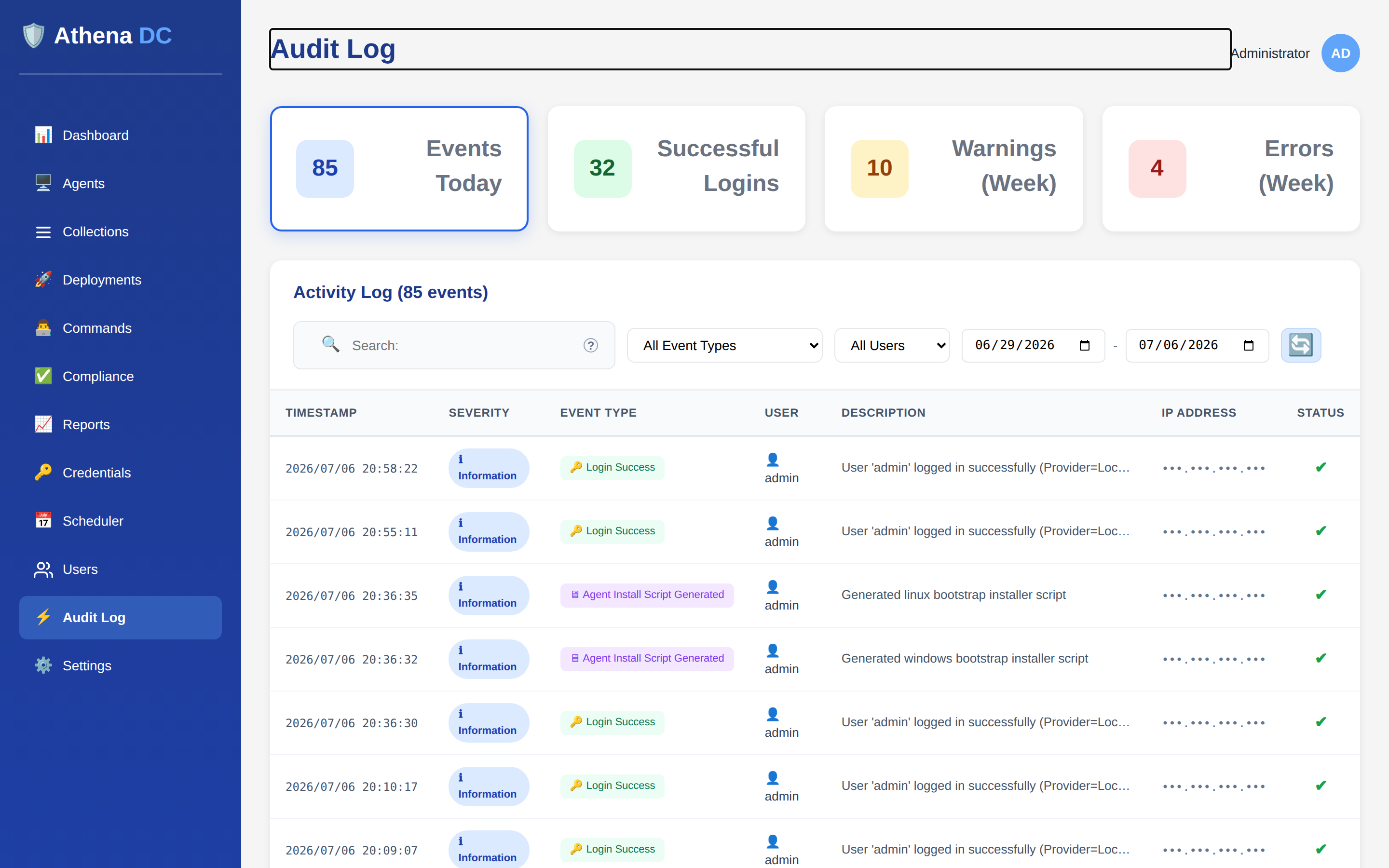
Audited events#
Athena records an audit entry for each of the following actions. The same catalog is used everywhere — locally on disk and on the wire to your SIEM:
- Login success
- Login failure
- Logout
- Password change
- Role-assignment changes
- Agent registration
- Agent revocation
- Deployment execution
- Command execution
- Scheduled-job create / modify / delete
- Scheduled-job execution
- Token generation
- Settings changes
Audit providers#
The primary provider — the one that stores the local, queryable trail — is chosen with
Audit:Provider and defaults to File. The Syslog provider
is used for audit forwarding, which streams events to a
SIEM alongside the primary log rather than replacing it. Two providers ship today, each
with its own configuration keys:
| Provider | Keys |
|---|---|
| File |
Directory ("AuditLogs"),
FilePrefix ("audit"),
BufferSize
|
| Syslog |
Host,
Port (514),
Transport ("Udp" / "Tcp"),
Format ("Rfc5424", "Rfc3164", "Cef", "Json"),
Facility (16),
BufferSize.
Configure these under Audit Forwarding.
|
An EventLog audit provider is on the roadmap and not yet
shipped — only File and Syslog exist server-side today.
(Separately, the agent's own logging can write to the Windows Event Log; that is distinct
from the server audit system described here.)
Forwarding to a SIEM#
To stream the audit trail off-box, enable audit forwarding. Forwarding runs
in addition to the local File (or database) audit log — you keep the
searchable on-box trail and gain an off-box copy at the same time. Turn it on from
Settings → Logging → Audit Forwarding: tick Enable syslog
forwarding, enter your collector's host and port, and choose a transport
(Udp or Tcp), a message format (Rfc5424,
Rfc3164, Cef, or Json), and a syslog facility.
By default this emits RFC 5424 messages over UDP to
port 514. Because it is standard syslog, it integrates with
Splunk, Elastic, QRadar,
ArcSight, and any other platform that ingests syslog — no Athena-specific
connector required.
For the full walkthrough — transports, all four message formats, the severity mapping, buffering and delivery behavior, and troubleshooting — see Audit Forwarding to SIEM.
Querying the audit log#
The web console reads the trail through api/Audit, which exposes three endpoints:
| Endpoint | Returns |
|---|---|
api/Audit/recent | The most recent audit events |
api/Audit/event-types | The catalog of event types |
api/Audit/stats | Aggregate counts across the trail |
Visibility follows role. Admin, Operator, and Helpdesk can view the audit trail; a User sees only their own events. See Roles & Permissions.